
Broadlink RM MAX Hub Domotique, Télécommande Universelle Wi-Fi & BLE pour Appareils IR/RF
47,93 €
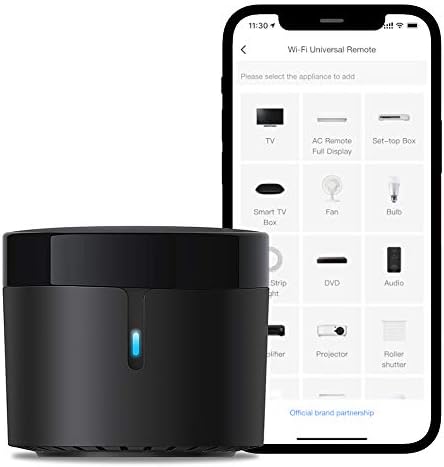
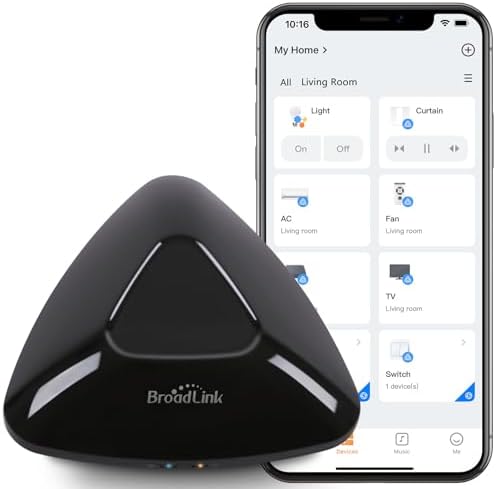
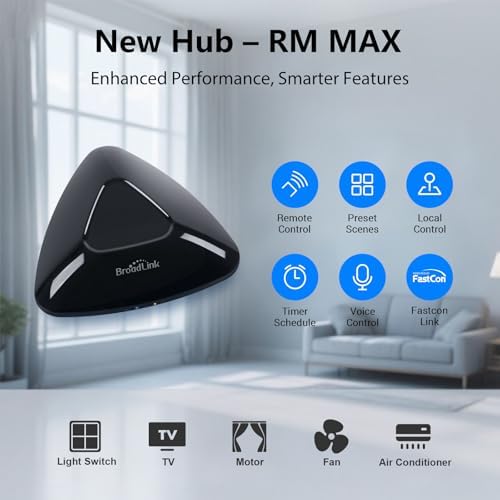
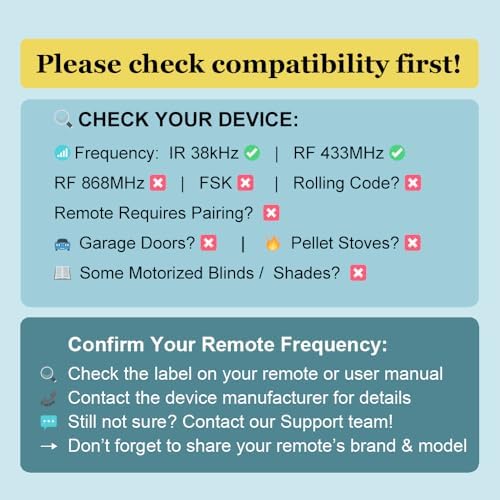
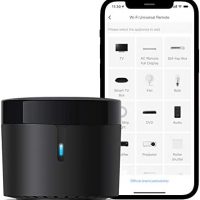
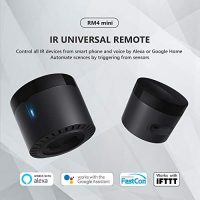
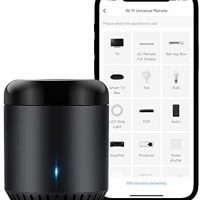
【Hub nouvelle génération avec configuration BLE rapide】Le RM MAX est notre nouveau hub Wi-Fi intelligent, doté du BLE pour une détection rapide des appareils et un contrôle local fluide. Mettez en place votre maison connectée en quelques minutes. 【Contrôle universel IR & RF】Compatible avec de nombreux appareils IR (38 kHz) et RF (433 MHz) : téléviseurs, climatiseurs, systèmes audio, ventilateurs, stores roulants et interrupteurs. Gérez-les tous dans une seule application. 【Contrôle local sans Wi-Fi】Même sans connexion Internet, gardez le contrôle grâce à la connexion locale BLE. Une fois configuré, RM MAX continue à fonctionner localement. 【Nouvelle application avec intégration FastCon】L’application Broadlink Magic Home propose une interface optimisée et prend en charge les produits FastCon : ampoules intelligentes (LB4E26, GU10), capteurs (mouvement, porte, température/humidité). RM MAX devient le cœur de votre écosystème connecté. 【Contrôle vocal mains libres & accès à distance】Une fois connecté au Wi-Fi 2,4 GHz, RM MAX permet contrôle à distance et vocal via systèmes compatibles. Ouvrez l’app et appuyez sur « Autoriser l’appareil » pour activer le contrôle Wi-Fi. Puis gérez vos appareils partout. 【Créer des scènes locales & routines intelligentes】Créez des scènes et routines enregistrées localement sur RM MAX. Même sans Internet, vos automatismes comme « Bonjour » ou « Coucher » fonctionnent. Contrôle fiable et intelligent hors ligne.
› Voir plus de détails
Description
Description du produit

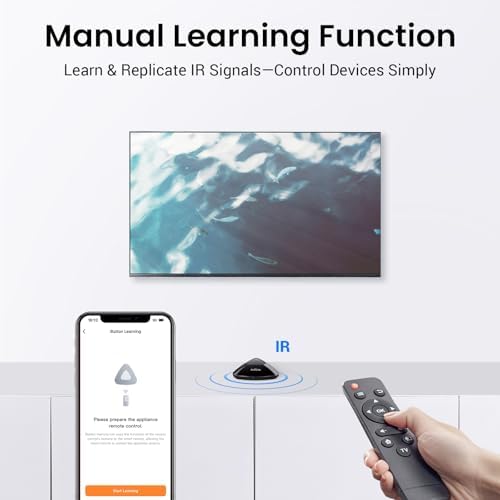
RM MAX est un hub intelligent pour le contrôle IR et RF 433 MHz, qui regroupe vos appareils dans l’application Broadlink Magic Home pour un contrôle centralisé.

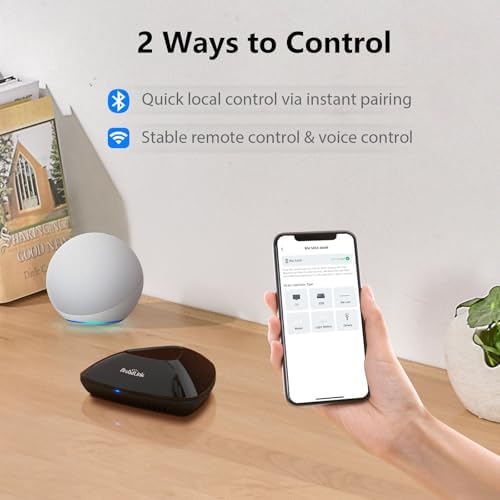
Configuration rapide via Bluetooth
Dites adieu aux installations compliquées. Grâce à la configuration rapide via Bluetooth, RM MAX est détecté et ajouté plus rapidement, vous permettant de connecter vos appareils intelligents facilement et rapidement.

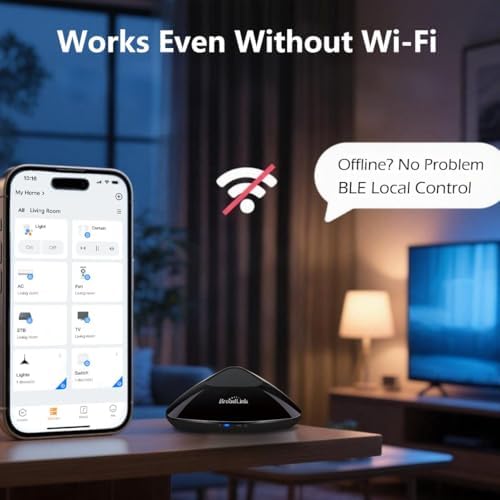
Contrôle local sans Wi-Fi
Une fois la configuration terminée, vous pouvez continuer à contrôler vos appareils directement depuis votre téléphone. RM MAX prend en charge le contrôle local, assurant le fonctionnement de votre maison intelligente même sans connexion Wi-Fi.
Hub tout-en-un pour contrôle IR, RF et intégration smart
RM MAX combine le contrôle infrarouge à 38 kHz et la radiofréquence à 433 MHz pour piloter téléviseurs, climatiseurs, stores et autres appareils. Il s’intègre parfaitement aux ampoules et capteurs FastCon dans l’application Broadlink Magic Home, servant de hub intelligent pour tous vos appareils connectés.

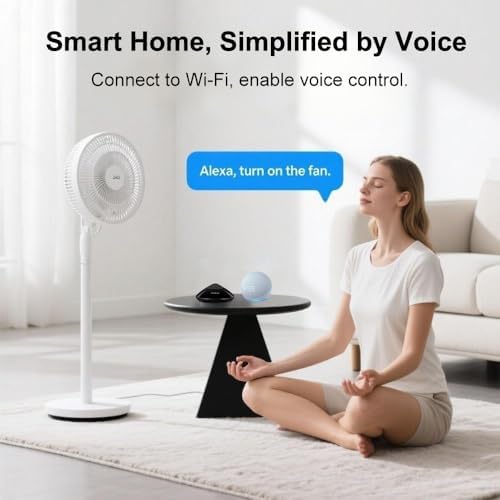
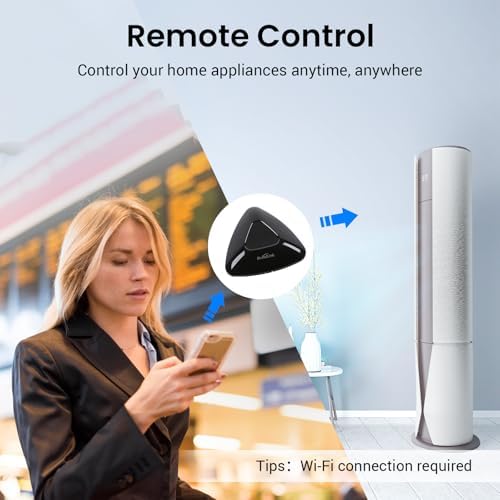
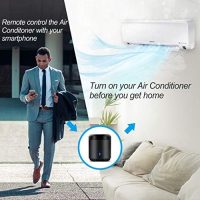
Commande vocale et à distance après connexion au Wi-Fi 2,4 GHz

Créez des scénarios et routines d’automatisation dans l’application

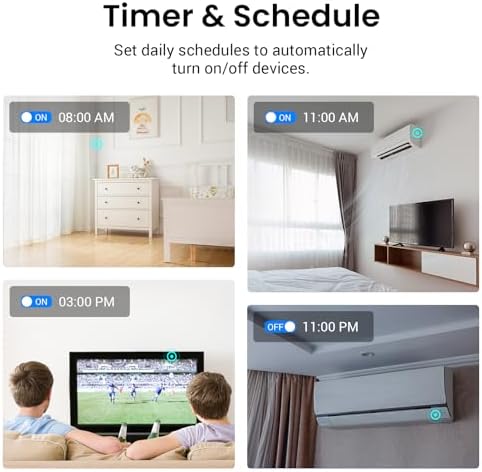
Programmez l’allumage et l’extinction du climatiseur à des heures fixes. Profitez d’une température agréable la nuit en économisant de l’énergie grâce à un contrôle intelligent adapté à votre routine.
BroadLink Smart-Hubs vergleichen

RM MAX télécommande IR/RF
|

RM4Pro télécommande IR/RF
|

RM5 Plus télécommande IR
|

RM4 Mini télécommande IR
|

RM Mini3 télécommande IR
|
|
|---|---|---|---|---|---|
|
Prix
|
47,93 € |
39,94 € |
31,95 € |
26,36 € |
19,17 € |
|
Modell
|
RM MAX |
RM4 pro |
RM5 plus |
RM4 mini |
RM mini3 |
|
IR-Steuerung (38 kHz)
|
✔ |
✔ |
✔ |
✔ |
✔ |
|
RF-Steuerung (433 MHz)
|
✔ |
✔ |
✘ |
✘ |
✘ |
|
Lokale Steuerung
|
✔ |
✘ |
✘ |
✘ |
✘ |
|
FastCon-Ökosystem
|
✔ |
✘ |
✘ |
✘ |
✘ |
|
Stromversorgung
|
USB Typ-C |
Micro-USB |
Micro-USB |
Micro-USB |
Micro-USB |
|
App-Kompatibilität
|
Broadlink Magic Home |
Broadlink |
Broadlink |
Broadlink |
Broadlink |
|
Einrichtungsmethode
|
Bluetooth oder 2,4-GHz-WLAN |
2,4-GHz-WLAN |
2,4-GHz-WLAN |
2,4-GHz-WLAN |
2,4-GHz-WLAN |
Informations complémentaires
| Marque | broadlink |
|---|---|
| Fabricant | Hangzhou BroadLink Technology Co., Ltd. |
| Dimensions du produit (L x l x h) | 10,88 x 10,88 x 3,65 cm; 210 grammes |
| Référence | RM MAX |
| Nombre d'article(s) | 1 |
| Couleur | Black |
| Composants inclus | RM MAX Hub, USB cable |
| Batterie(s) / Pile(s) requise(s) | Non |
| Poids de l'article | 210 g |
| Disponibilité des pièces détachées | Information indisponible sur les pièces détachées |
| Mises à jour logicielles garanties jusqu’à | Information non disponible |
| ASIN | B0F8Q49Z95 |
| Code UNSPSC | 39120000 (Équipements, composants et fournitures électriques) |
| Moyenne des commentaires client | 3,4 3,4 sur 5 étoiles (63) var dpAcrHasRegisteredArcLinkClickAction; P.when('A', 'cf').execute(function(A) { 3,4 sur 5 étoiles |
| Classement des meilleures ventes d'Amazon | 34 625 en Bricolage (Voir les 100 premiers en Bricolage) 14 en Concentrateurs et contrôleurs domotiques |
| Date de mise en ligne sur Amazon.fr | 15 mai 2025 |
| Feature | 【Créer des scènes locales & routines intelligentes】Créez des scènes et routines enregistrées localement sur RM MAX. Même sans Internet, vos automatismes comme « Bonjour » ou « Coucher » fonctionnent. Contrôle fiable et intelligent hors ligne. |
David B. –
Top
Fonctionne très bien mais attention en Europe au radio commandes en 868Mhz qui ne sont pas supportées
Eric –
Attention : Incompatible avec Home Assistant
L’appareil fonctionne bien avec l’application.Mais contrairement à la RM4 Pro cette télécommande ne peut pas être intégré à Home Assistant.Or quand on achète une télécommande universelle, on aimerait qu’elle soit universelle.Je conseille de vous tournez plus vers la RM4 Pro que vers cette télécommande.
Une personne a trouvé cela utile
Client d’Amazon –
Ne fonctionne pas pour toutes les télécommandes et pas de mode d’emploi clairement expliqué
Al –
Después de probar otros dos dispositivos similares que no fueron capaces de conectar o tenían un alcance muy limitado, este ha sido la solución definitiva. Lo que más me impresiona es su alcance brutal; puedo controlar las persianas con motores antiguos sin problema alguno, incluso estando a dos plantas de distancia, algo que con los otros era imposible.La configuración fue sencilla a través de la app y ahora tengo todo centralizado. La construcción es sólida y da una sensación de calidad superior a sus competidores.Si tienes persianas antiguas o problemas de cobertura en una casa grande, este es sin duda el dispositivo que necesitas. Funciona a la perfección donde otros han fallado.
ZeeshanZeeshan –
The actual product is great and works with both IR and RF remotes which I needed. It has USB C connectivity and its a small sleek device. The RM Max is also compatible with the previous Broadlink app that worked with RM Pro which I much prefer compared to their newer version.Setting up a device was really long and confusing at first but once set up then its all good.Using the original Broadlink app (not the new version): first you add the RM max device.Then you select and add the device you want to control (e.g. fan). Or you could select « User Define » rather than a device such as a fan and create each button manually, but this option doesnt work with Voice Control in Google Home.If you cant find your brand, then select the option at the bottom « Can’t find my brand, learn the remote right away ».Then select your remote type IR or RF.Then it would give you a generic list of buttons for the device.These buttons can be reprogrammed and renamed if you press the three dots in the top corner.For voice control in Google Home for example, you will need to add the device to Google Home by first connecting your broadlink app to Google Home.I wanted to set up a device to work with Google Home via VOICE CONTROL. My devices weren’t supported so I had to select a device (e.g. fan) and then learn the buttons as above – only on and off would work via VOICE CONTROL but this is all I needed, and the rest you can control via the app.You could technically set up more buttons via voice control by separately creating a device, renaming it (e.g. fan speed 3) and reprogramming each button and adding it to Google Home as a separate device but that’s too long winded for me. Once set up though, it has been working flawlessly to be fair and for my needs, I am happy. Just remember, for connectivity IR you need to be in the same room, RF you dont have to be directly in front to be directly in front of the device and can be further away.For me it had worked with all IR/RF device such as controlling pedestal fans, ceiling fans, monitor etc
Florindo –
Fa esattamente ciò che dichiara e lo fa molto bene! Semplicissimo da installare, da aggiungere all’app, da aggiornare con nuovi dispositivi e da utilizzare con i dispositivi abbinati. Uno degli apparati più semplici e funzionali mai provati. Complimenti!
Thomas –
Der Broadlink RM MAX Smart Home Hub ist eine echte Bereicherung für mein Smart Home. Die Einrichtung war unkompliziert und schnell erledigt, die Verbindung über 2.4GHz Wi-Fi funktioniert zuverlässig und stabil. Besonders praktisch finde ich die Unterstützung von IR- und RF-Signalen, sodass ich sowohl meinen Fernseher, die Klimaanlage als auch die Jalousien problemlos mit einem Gerät steuern kann. Dank der Kompatibilität mit Alexa und Google Home lässt sich alles bequem per Sprachsteuerung bedienen, was den Alltag enorm erleichtert. Auch die App ist übersichtlich gestaltet und bietet viele nützliche Funktionen. Endlich brauche ich keine verschiedenen Fernbedienungen mehr – alles läuft über den Hub. Für alle, die ihr Zuhause smarter gestalten möchten, ist dieses Gerät eine klare Empfehlung. Top Preis-Leistungs-Verhältnis!
Une personne a trouvé cela utile
DAVI83 –
Dieser moderne Smart Hub will das digitale Herzstück im vernetzten Zuhause sein – mit Steuerungsmöglichkeiten für IR- und RF-Geräte, BLE-Support und Integration in gängige Sprachassistenten. Die Theorie klingt stark – die Praxis zeigt jedoch kleinere Stolpersteine.Vorteile:- Unterstützt eine Vielzahl an Geräten: IR (z. B. TV, Klimaanlagen) & RF (z. B. Rollläden, Schalter)- Lokale Steuerung auch bei WLAN-Ausfall möglich – ein echtes Plus bei Netzproblemen- Schnelle Einrichtung per Bluetooth spart Zeit und Nerven- Integriert sich in Alexa und Google Home (wenn korrekt eingerichtet)- Kompatibel mit dem Broadlink FastCon-Ökosystem für smarte Leuchten und Sensoren- Robuste Bauweise, modernes Design, USB-C-StromversorgungNachteile:- Nur 2,4-GHz-WLAN – kein Support für 5 GHz, was zusätzliche Umstellungen erfordern kann- Sprachsteuerung teilweise fehleranfällig, nicht bei allen Nutzern erfolgreich integrierbar- Einrichtung und App teilweise umständlich und schlecht übersetzt- Kein Netzteil im Lieferumfang – bei dem Preis nicht optimal- Nutzer mit Logitech-Harmony-Erwartung könnten enttäuscht sein- Begrenzte Integration mit Smart-Home-Plattformen wie Home AssistantKurzum:Ein spannender Universalhub mit klarer Ausrichtung auf lokale, stabile Steuerung und breiter Kompatibilität. Für Smart-Home-Einsteiger und pragmatische Nutzer eine lohnenswerte Option – technikaffine Bastler und Plattform-Enthusiasten sollten allerdings Geduld und etwas Frusttoleranz mitbringen. Wer das richtige Setup trifft, wird jedoch mit mehr Komfort im Alltag belohnt.
Une personne a trouvé cela utile
AlessandroAlessandro –
!Ho utilizzato questo telecomando universale per controllare la tv e la soundbar che utilizzo in camera, la configurazione iniziale non è stata delle più semplici ma dopo averla completata funziona molto bene!Se si segue il manuale incluso ci verrà detto di scaricare l’app “Broadlink Magic Home” ma avendo solo questo dispositivo ho cercato sul play store e ho trovato l’app ufficiale “Broadlink – Telecomando universale” che è molto più snella e ben fatta a mio parere. Anche se si chiama « »telecomando » » l’app può essere utilizzata anche con sensori, gateway e luci smart compatibili.La configurazione guidata tramite l’app farà collegare subito il dispositivo al wifi di casa, così da poterlo poi collegare anche agli assistenti vocali.La procedura è in italiano ma certe schermate non sono tradotte bene e una addirittura, quella in cui dovevo scegliere in nome da dare alle due bande del dispositivo, era in cinese. Non mi sarei mai aspettato una traduzione e una così poca cura nei dettagli da una marca conosciuta e ormai famosa come la BroadLink…Tramite l’interfaccia dell’app possiamo poi configurare diversi telecomandi per gestire diversi apparati che abbiamo nella stanza, io l’ho utilizzato per una Tv e una soundbar ma può essere utilizzato per molti altri telecomandi come ad esempio anche per condizionatori e ventilatori da soffitto.La smart Tv che ho utilizzato è una lg e, anche se è prevista una configurazione rapida guidata per quel marchio, nel mio caso non ha riconosciuto il telecomando e ho dovuto utilizzare la configurazione manuale.Tramite la configurazione manuale ho poi scelto tutti i tasti che mi servivano e li ho configurati uno a uno.La configurazione è semplice ma le istruzioni non sono molto chiare e inizialmente ricevevo molti errori e mancate configurazioni dei tasti, alla fine ho capito che la tv o il dispositivo che vogliamo controllare deve essere spento quando configuriamo i tasti altrimenti il broadlink non riconosce la frequenza del tasto.Io ho fatto in questo modo ad esempio per il tasto del volume della tv:Spengo la tvAvvio la configurazione del tasto volume suMetto il telecomando molto vicino al broadlink e lo punto contro il logoPremo ripetutamente il tasto sul telecomando finché sull’app non mi da un avvisoAccendo la tvProvo la funzionalità del pulsante virtualeCosì facendo sono riuscito a configurare tutti i tasti necessari e il processo è sempre andato a buon fine, dopo i primi tasti poi non ho neanche effettuato la prova di funzionalità accendendo la tv in quanto ho notato che li associava sempre correttamente e così facendo risparmiavo tempo.Il processo di configurazione manuale è lento e noioso ma secondo me ne vale la pena! adesso posso controllare la tv e la soundbar completamente tramite Alexa e quando sono a letto è davvero una bella comodità!Tramite l’app ho poi impostato delle routine per spegnere automaticamente la tv ad una certa per evitare che rimanga accesa tutta la notte se mi addormento mentre la guardo.Concludendo mi ritengo molto soddisfatto del dispositivo e della sua perfetta funzionalità, l’unica pecca è la configurazione manuale dei telecomandi che è lunga e poco intuitiva, se venisse migliorata meriterebbe sicuramente 5 stelle!
Nigel Pentland –
Nice hardware, but disappointed with the software. Currently ni Home Assistant integration support and the new Magic Broadlink app can’t do what I require. The older Broadlink app can but isn’t perfect. Hopefully these issues will disappear once it gets Home Assistant support.